
What is Click to Pay?
Click to Pay is a simpler way to pay online using your personal debit card. Instead of entering your card details every time you shop online, you’ll be able to check out more quickly on websites that use this service.
Whether you’re ordering food or shopping online, Click to Pay:
helps speed up online checkout, as you don’t need to enter your full card details each time, and
helps keep your card details secure.

How Click to Pay works
 Step 1 - Go to checkout on the website.
Step 2 - Enter your details.
The email address and mobile number entered must exactly match the details verified in the AIB app.
Step 3 - Select your card.
If Click to Pay is available and you only have one card registered, it will be selected automatically. If you have more than one card registered for Click to Pay, you will need to select the card you wish to use.
Step 4 - A one‑time code is sent to the verified mobile number and email address. Enter the code to continue and complete the payment.
Step 5 - View the confirmation of the purchase.

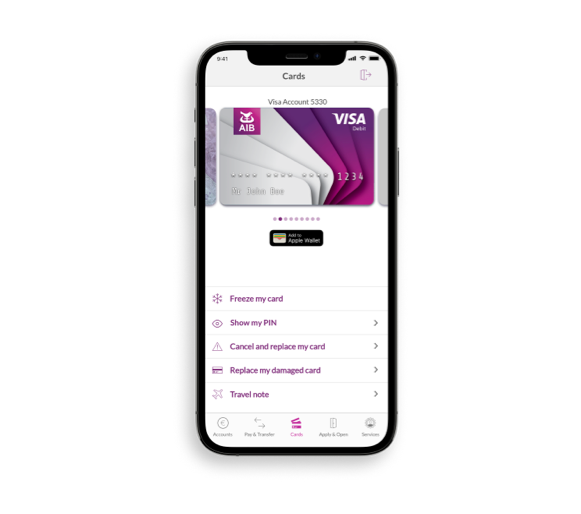
Who can use AIB Click to Pay?
You can use AIB Click to Pay if you:
have an AIB Personal Debit Card.
use the our mobile banking service;
have a verified mobile number and a verified email address;
You will need to have both your mobile number and email address verified with us. If we have those details you don't need to do anything, we will automatically register you.
How to Opt out
You can opt out by:
Using the self‑service kiosk in any of our branches, or
Calling us on (01) 2695022 (+353 1 2695022 from outside of Ireland), Monday to Friday 9:00 to 17:00.

Click to Pay Q&A’s

Before proceeding please read our Site Use Terms and Conditions, Privacy & Cookie statements which apply to your use of this website. AIB and AIB Group are registered business names of Allied Irish Banks, p.l.c. Registered Office: 10 Molesworth Street, Dublin 2.

Tel: +353 (0)1 6600311 Registered in Ireland: Registered No. 24173 Allied Irish Banks, p.l.c. is regulated by the Central Bank of Ireland. Copyright Allied Irish Banks, p.l.c. 1995